
Construction Traceability Solutions
Construction Traceability Solutions for Building Product Manufacturing
Construction traceability solutions connect materials, work orders, fabrication steps, labor, quality records, finished assemblies, staging, and delivery. KnarrTek helps building-product manufacturers replace delayed spreadsheets with real-time operational data from receiving through shipment to the project site.
Traceability Solutions
What are construction traceability solutions?
Construction traceability solutions are software and data-capture workflows that preserve the identity, location, status, history, and project relationship of building materials and manufactured components. They connect physical activity on the shop floor and in the warehouse with work orders, quality records, inventory, customer requirements, and delivery information.
Manufacturing visibility built around the project, product, and material.
Construction manufacturing software is different from general scheduling software. It must follow raw materials as they are cut, formed, mixed, machined, assembled, finished, labeled, packed, staged, and shipped for a specific project or customer order.
KnarrTek captures operational transactions where work happens. Barcode scans, RFID reads, mobile devices, shared workstations, label printers, scales, and connected systems can update construction inventory tracking, WIP, labor, material consumption, quality status, and shipment history in real time.
The resulting record helps production, warehouse, quality, purchasing, project, and customer-service teams answer the same questions without reconciling separate spreadsheets: What arrived? Where is it? Which job used it? What was produced? Has it been approved? Is the correct assembly staged for the correct destination?
One Connected Build Record
How construction traceability solutions connect four records that often become separated.
Building materials traceability becomes useful when teams can move from a project or finished assembly to the exact material, production, quality, and delivery activity behind it. Construction traceability solutions keep those relationships searchable without requiring the ERP to capture every floor-level transaction.
Identity, quantity, location, and status
Track purchase orders, suppliers, lots, heat numbers, serial numbers, grades, finishes, dimensions, rolls, sheets, bars, pieces, containers, units of measure, current quantities, storage locations, and availability status. Construction inventory tracking can retain partial quantities and transformations when a length, sheet, roll, or bulk material is consumed across jobs.
Work order, routing, labor, and progress
Connect project, customer order, part, drawing revision, bill of materials, route, work center, employee, start and stop events, material use, completion, scrap, rework, hold, and due date.
Inspection, approval, and exception history
Associate receiving checks, in-process verification, measurements, tests, nonconformance status, rework, release, certificates, photos, or configured documents with the affected material or assembly.
Pack, stage, load, project, and destination
Verify the right manufactured items are packed into the right container, pallet, rack, bundle, crate, kit, or load. Connect labels and nested identities to the customer order, project phase, delivery sequence, destination, shipment, and available proof-of-delivery information.
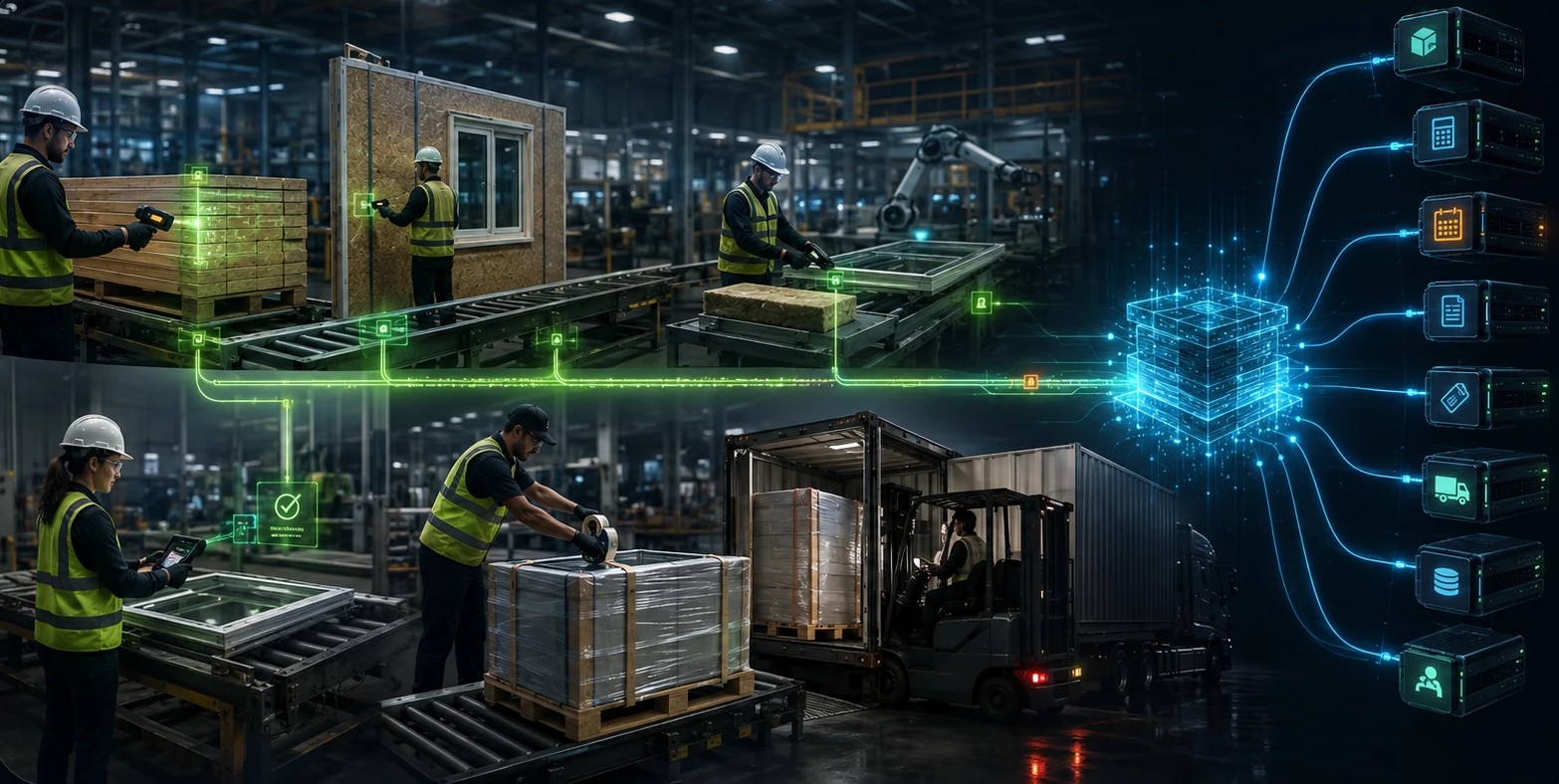
- Import or reference work orders, items, purchase orders, customers, projects, and planned quantities.
- Capture receiving, movement, labor, material use, WIP, quality, packing, and shipment activity.
- Return validated inventory, completion, labor, traceability, and exception data to authorized systems.
- Trigger configured alerts when materials, jobs, approvals, or deliveries move outside expected rules.
Close the Data Gap
Capture the manufacturing activity that project software and ERP may not see.
ERP and project systems are important systems of record, but they may receive summarized production updates after work is complete. Construction traceability solutions fill the operational gap by capturing who moved material, which job consumed it, where WIP is waiting, what quality decision was made, and which finished items entered a shipment.
KnarrTek can exchange selected data with ERP, accounting, scheduling, labeling, database, shipping, and customer systems. The goal is not to replace every existing platform. It is to give those platforms more accurate operational data while giving floor teams a practical workflow for real-time transactions.
Material Passport
What information should construction manufacturing software record?
A useful material passport is created through routine transactions, not a separate end-of-project exercise. Each step adds context to the same building materials traceability record, allowing construction traceability solutions to preserve the product story as work happens.
Connected Flow
Follow building products from supplier receipt to project delivery.
Receive
Identify material, lot, heat, serial, dimensions, quantity, certificate, label, and receiving location.
Control
Manage locations, moves, status, reservations, containers, partial quantities, and project allocation.
Fabricate
Record job steps, labor, material use, machine or work-center activity, WIP, scrap, and output.
Verify
Capture inspections, measurements, quality status, holds, exceptions, rework, and approval.
Stage
Pack components into labeled bundles, crates, kits, racks, pallets, containers, or project loads.
Deliver
Validate the order, project, destination, nested contents, shipment, and delivery-related record.
Industry Fit
Construction manufacturing software for engineered, configured, and project-specific products.
Construction traceability solutions can be configured around different materials, units of measure, routes, quality checks, packaging methods, and delivery requirements. These applications share one challenge: the product must reach the correct project with an accurate manufacturing history.
Windows & Doors
Connect profiles, glass, hardware, coatings, serial identities, fabrication, assembly, inspection, packout, and project shipment.
Architectural Millwork
Track sheets, boards, veneers, hardware, drawings, cut parts, subassemblies, finishing, labor, rooms, and installation packages.
Fabricated Metals
Follow heats, grades, bars, sheets, cut lengths, weldments, finishes, inspections, assemblies, bundles, and delivery loads.
Precast & Concrete Products
Connect raw materials, production orders, molds, batches, curing, test status, units, storage positions, and project delivery.
Modular & Prefabricated Assemblies
Use prefab manufacturing software workflows for kits, stations, nested assemblies, quality gates, room or module identity, and sequence-based delivery.
Panels & Building Envelopes
Track coils, sheets, cores, adhesives, panels, dimensions, colors, finishes, labels, racks, elevations, and project zones.
MEP Fabrication
Connect spools, pipe, fittings, duct, electrical assemblies, shop work, inspections, kits, floors, areas, and field release.
Building Materials & Components
Manage lots, pallets, rolls, reels, boxes, assets, conversions, kitting, labeling, warehouse movement, orders, and shipments.
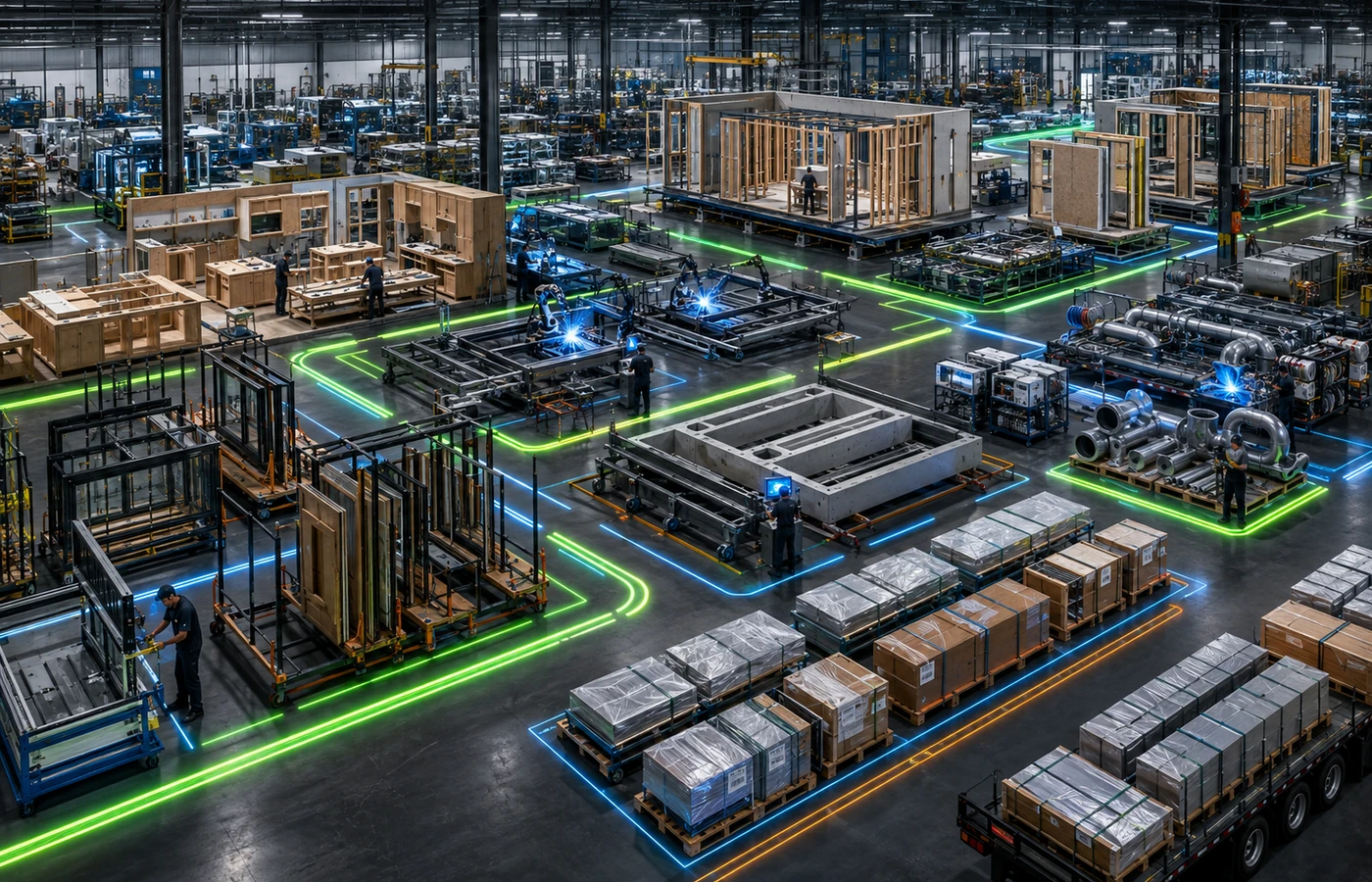
- Trace from supplier material to WIP, assembly, container, project, customer, and shipment.
- Trace from a finished component back to lots, heats, job steps, employees, checks, and rework.
- Search by item, lot, serial number, container, project, work order, label, location, or shipment.
- Keep remaining quantities and split-material histories visible after a conversion or partial issue.
Forward & Backward Trace
Find the material and delivery relationships behind a finished building product.
Building materials traceability should support two directions of inquiry. A backward trace starts with a manufactured assembly and identifies the source materials, work order, operations, labor entries, and quality activity behind it. A forward trace starts with a source lot, heat, serial number, or container and identifies where it was stored, which jobs consumed it, what products resulted, and which shipments included those products.
This connected history can shorten investigations, support customer questions, and improve the response to a supplier issue, internal quality hold, incorrect finish, drawing change, damaged component, or delivery discrepancy. The record is only as reliable as the transactions captured, so KnarrTek workflows are configured around the scans and validations that fit the actual operation.
Published Application Studies
Verified construction manufacturing examples from BellHawk solution demonstrations.
KnarrTek does not publish a verified construction-manufacturing customer testimonial on the referenced public pages. The examples below are therefore presented accurately as published application demonstrations, not customer case studies or promises of a specific result.
Window manufacturing from engineering data to building-site shipment
A published BellHawk demonstration follows an engineered window unit through pre-operations setup, receiving, cutting, assembly, and shipment to a building site. The example also reviews the traceability history and actual-versus-predicted cost information for the manufactured unit.
Custom building-textile jobs through cutting, sewing, and finishing
A published BellHawk production-tracking demonstration uses curtains for houses, hotels, and other buildings as its example. It shows a production manager setting up a custom work order and using barcode scanning to follow that job through cutting, sewing, and finishing work centers.
Evidence note: These are product demonstrations published on the BellHawk video library. They describe example workflows and do not claim a named customer, verified savings amount, or guaranteed performance outcome.
KnarrTek Packages
Match the software package to the depth of inventory, WIP, traceability, and integration required.
KnarrTek’s current packages are built on the BellHawk and MilramX platforms. Construction manufacturers can start with focused cloud tracking, expand construction traceability solutions into deeper in-plant WIP and warehouse control, or connect complex software and device ecosystems with rules and alerts.
BellHawk Online
Browser-based inventory or production tracking for materials, assets, labor, barcode scans, job activity, movement, packing, and shipping. It is suited to organizations that need practical construction inventory tracking without a large IT project.
Best forSmall and mid-sized building-product manufacturers, warehouses, distributors, and construction suppliers beginning with focused real-time tracking.
View BellHawk OnlineWIPtracker
An in-plant system for deeper inventory, WIP, job, labor, production, warehouse, quality, traceability, scheduling, barcode, RFID, and ERP-connected workflows.
Best forEngineer-to-order, make-to-order, prefabrication, multi-step fabrication, and building-material operations that need stronger floor and warehouse control.
View WIPtrackerSmartOps24x7
A custom-scoped package for complex software ecosystems, ERP integration, adaptors, rules-based monitoring, alerts, information exchange, forecasting, and decision support.
Best forMulti-system and multi-site operations that need operational data coordinated across construction manufacturing software, ERP, project, warehouse, device, and customer systems.
Compare SmartOps24x7Documentation Support
Support quality, safety, sustainability, and customer documentation with accurate operational records.
Software does not make a company compliant with OSHA requirements, building codes, LEED, ISO standards, customer specifications, or contractual requirements. Responsibility remains with the manufacturer and project participants. Construction traceability solutions can, however, make configured operational records easier to capture, retrieve, review, and connect.
For example, OSHA’s construction material-handling rules include identification and inspection requirements for certain rigging equipment, while USGBC guidance explains that building-product manufacturers may contribute documentation relevant to LEED credit pathways. Construction traceability solutions can support configured records, but the exact information a company needs depends on its products, processes, hazards, contracts, jurisdictions, and certification goals.
Authoritative references: OSHA 1926.251 Material Handling and USGBC Guidance for Product Manufacturers.
Associate incoming checks, production history, measurements, inspections, releases, nonconformances, rework, labels, shipment records, and configured documents with materials and finished products.
Maintain supplier, lot, heat, item, quantity, location, project, work-order, assembly, container, customer, and shipment relationships that can support building materials traceability inquiries.
Use permissions, guided transactions, configured validations, status controls, labels, timestamps, device capture, alerts, and searchable history as part of a broader documentation program.
Retrieve configured material, job, quality, container, project, shipment, timestamp, and user records when teams need to investigate an exception or answer a customer question.
Operational Value
Where construction traceability solutions improve daily control.
The result depends on the workflow, data quality, implementation, and user adoption. The practical objective is to replace missing or delayed information with current, validated transactions that make operations easier to manage.
Real-Time WIP Visibility
See which jobs are active, waiting, held, complete, late, at a work center, in staging, or ready for the next operation.
Inventory Accuracy
Capture receiving, putaway, moves, splits, issues, returns, adjustments, cycle counts, consumption, packing, and shipping.
Project-Specific Control
Connect material and assemblies to a customer, building, project, phase, floor, room, elevation, area, or other configured destination.
Material Genealogy
Trace from source material to fabricated output and delivery, or from a finished product back through its material and production history.
Verified Packout
Scan items into nested bundles, racks, crates, kits, pallets, or loads so their contents remain visible and searchable.
Connected Decisions
Share selected real-time data with ERP, scheduling, project, accounting, label, shipping, reporting, and customer systems.
Labor & Material Accountability
Connect employee activity, job steps, material consumption, completions, scrap, and rework to the work order without relying on delayed manual summaries.
Faster Exception Response
Surface missing material, held work, quality exceptions, incomplete kits, and shipment discrepancies while teams still have time to act.
Related Capabilities
Explore the tracking capabilities behind construction manufacturing control.
Use these related KnarrTek resources to compare real-time WIP, inventory, RFID, materials traceability, job tracking, and broader manufacturing visibility.
Manufacturing Tracking
Connect work orders, WIP, inventory, labor, lots, quality, labels, barcode activity, and shipments.
Explore CapabilitiesReal-Time WIP Tracking
See work status, queues, movement, starts, stops, labor, materials, completions, holds, scrap, and rework.
View WIP TrackingInventory & Asset Tracking
Improve receiving, movement, storage, picking, assets, containers, cycle counts, packing, and shipping visibility.
View Inventory TrackingRFID Tracking
Use configured barcode, RFID, mobile, wearable, portal, and hybrid workflows for materials, containers, and assets.
View RFID TrackingMaterials Traceability
Connect supplier lots, serial numbers, containers, transformations, quality activity, finished products, and customers.
View Track & TraceMaterials Flow & Job Tracking
Connect job progress with the employees, work centers, materials, containers, operations, and outputs behind it.
View Job TrackingConnected Operations & Integration
Coordinate selected ERP, scheduling, database, device, shipping, reporting, and alert workflows across the manufacturing operation.
View Connected OperationsWIPtracker Manufacturing Control
Bring WIP, inventory, labor, production, quality, warehouse, traceability, and ERP-connected workflows into one in-plant system.
View WIPtrackerConstruction Manufacturing FAQ
Answers for operations, production, warehouse, quality, project, and IT teams.
These answers explain how construction traceability solutions connect materials, jobs, WIP, assemblies, quality status, project staging, delivery, and existing business systems.
What are construction traceability solutions?
Construction traceability solutions are software and data-capture workflows that connect material identity, inventory location, work orders, production activity, quality status, finished products, project allocation, packing, and delivery history. They help building-product manufacturers find where materials came from, how they were used, and where resulting products went.
Who uses construction manufacturing software?
Construction manufacturing software can support window and door manufacturers, architectural millwork shops, metal fabricators, precast producers, modular builders, panel manufacturers, MEP fabricators, construction suppliers, and other organizations making configured or project-specific building products.
How does building materials traceability work?
Building materials traceability works by assigning or recording identifiers such as item numbers, lots, heat numbers, serial numbers, containers, labels, or license plate numbers, then capturing each receipt, move, allocation, production use, transformation, quality decision, pack, and shipment.
Can KnarrTek track materials by project or work order?
Yes. KnarrTek can connect materials, containers, labor, job steps, WIP outputs, assemblies, quality records, and shipments to projects, customer orders, work orders, and other configured records. The exact fields and validations depend on the implementation.
Can it track partial sheets, rolls, bars, or lengths?
Yes. Configured workflows can track material units, dimensions, quantities, containers, splits, remaining quantities, conversions, and job consumption. This can be useful for sheet goods, lumber, fabric, metal stock, wire, cable, rolls, reels, panels, and similar materials.
Does KnarrTek support barcode and RFID tracking?
Yes. KnarrTek supports barcode scanning, RFID tracking, mobile data capture, wearable scanners, shared workstations, label printing, and connected devices. The right method depends on the item, environment, read distance, data requirement, and transaction being captured.
Can it verify job-specific kits and loads?
Yes. Items can be scanned into configured parent containers such as bundles, racks, crates, pallets, kits, trailers, or loads. Nested identities help teams verify contents and preserve their connection to the project, customer, destination, and shipment.
What is the difference between ERP and KnarrTek?
ERP typically manages business records such as orders, purchasing, planning, accounting, and summarized inventory. KnarrTek captures detailed operational transactions on the shop floor and in the warehouse, then can exchange selected data with ERP and other systems rather than requiring them to capture every scan and production event.
Can KnarrTek track labor and job progress?
Yes. Operators can scan or select employees, jobs, operations, work centers, starts, stops, completions, quantities, scrap, rework, materials, and status changes. This creates current job visibility and can support actual labor and material reporting.
Does the software guarantee OSHA or LEED compliance?
No. Software cannot guarantee compliance or certification. KnarrTek can support configured material, quality, safety-related, sustainability, customer, and audit documentation workflows, but each organization remains responsible for determining and meeting the requirements that apply to its products and operations.
Can prefab manufacturing software track nested assemblies?
Yes. Prefab manufacturing software workflows can connect components, subassemblies, modules, rooms, racks, containers, kits, pallets, and loads through parent-child or nested identities. This helps preserve what is inside each assembly or shipping unit.
Can KnarrTek connect to project and ERP systems?
Yes. Depending on scope, KnarrTek can exchange data with ERP, accounting, project, scheduling, database, label, shipping, reporting, device, and customer systems. SmartOps24x7 supports complex integration, rules, adaptors, alerts, and connected-operations requirements.
Which KnarrTek package fits a construction manufacturer?
BellHawk Online fits focused cloud inventory or production tracking. WIPtracker fits deeper in-plant WIP, warehouse, manufacturing, quality, traceability, and ERP-connected control. SmartOps24x7 fits complex multi-system operations that need extensive adaptors, rules, alerts, and decision support.
How should a company start a traceability project?
Start with one high-value workflow and map its physical transactions from receiving through delivery. Identify the questions the business cannot answer today, the identifiers and systems already in use, the scans or validations needed, and the users responsible for each transaction.
Build a Searchable Product History
Connect construction materials, fabrication, quality, project staging, and delivery in real time.
Talk with KnarrTek about construction traceability solutions for your building-product, prefabrication, engineered-to-order, warehouse, or job-specific manufacturing workflow.
